Choose what matters today
Lists, repeating tasks, steps and progress help you find your next focus.
Explore tasks and focus
A little Vibe for every day
Keyboard Sounds · Ambience · Focus · Desktop Company
macOS 15+Different company. The same focus.

A little space to focus
Browser preview · separate from your app

From your first keystroke to one small goal complete,
Vibe stays quietly by your side.
Multiple key sounds
Find your rhythm
Rain, cafés, calm
Mix your atmosphere
25 minutes of flow
Make room for focus
Your desktop companion
Always by your side
Quiet company. No interruptions.

A gentle nudge, right on time.

A little celebration for your focus.
Pair your favorite keyboard sounds with a little nature. Make room for your own rhythm.
Choose a sound. Find your rhythm.
Explore the sound libraryTurn on several sounds and hear them together. Set each volume, or start with a mix below.
 VIBE FOR MAC
Start a focus session, mix ambient sounds and spend the day with your desktop companion.
Rosé appearance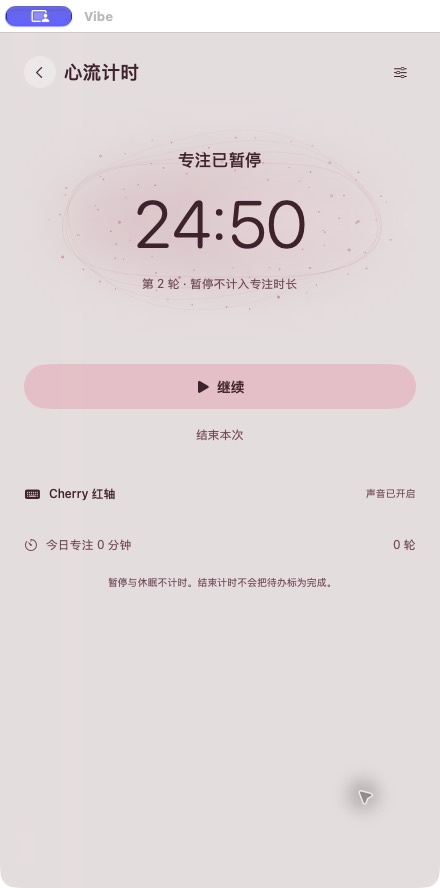
Organize tasks, begin a focus session, or talk with Vibe AI on your Mac. You configure the model and choose which data and actions to allow.
Lists, repeating tasks, steps and progress help you find your next focus.
Explore tasks and focusChat, review suggested plans and run local Agent tasks. You approve a plan before it changes anything.
Explore Vibe AIAI starts off. Model keys live in your Mac Keychain; task, file and tool access requires your permission.
Read the privacy notesSound, tasks, focus and company share one Vibe CLI. You decide what to allow.
Read the connection guidevibe capabilities --json
vibe agent guide --json
vibe focus startKeyboard sounds respond to physical keys without recording your text. Local tasks, focus and sound preferences stay yours. AI works within your permissions.
How your data is handled